
What is in the Survival template
The template is built around the three things a new player looks for before joining a survival server: is it online, what can I buy, and what are the rules. Each of those gets its own page, and the pages link to each other from the navigation bar, the hero buttons and the footer.
| Page | Sections on it | What it is for |
|---|---|---|
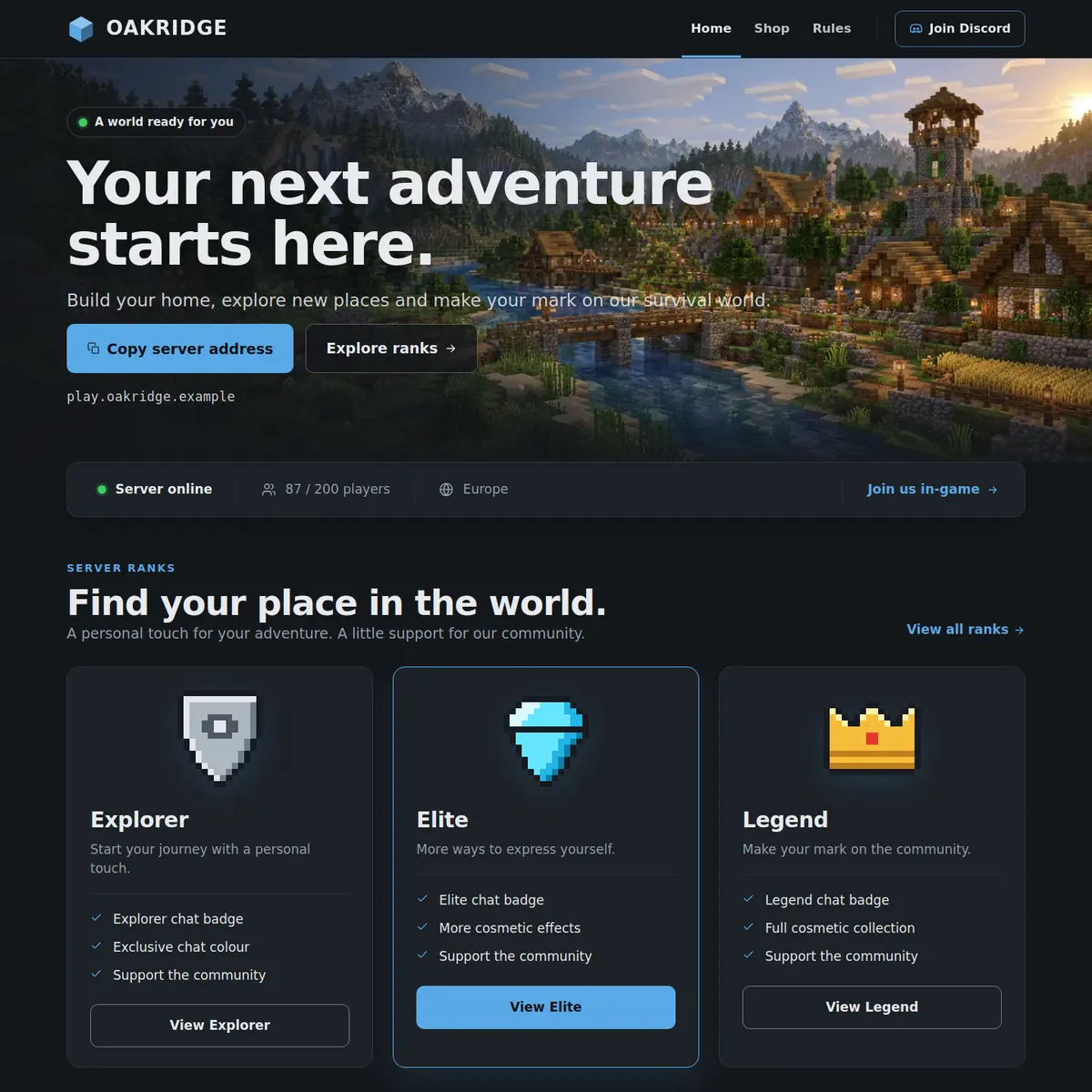
| Home | Hero, Server status, Rank grid, Community | The first impression: your address, live status, three ranks and your Discord |
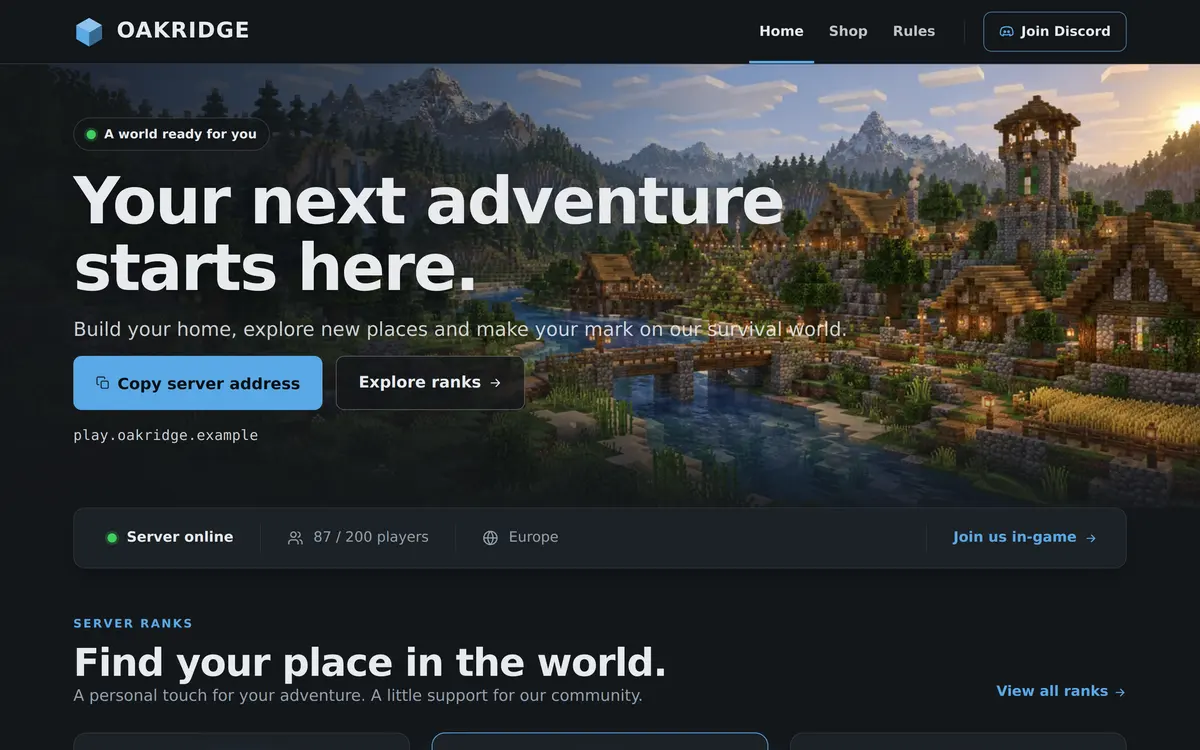
| Shop | Page intro, Categories, Rank grid, FAQ | All ranks in tabs, with answers before someone buys |
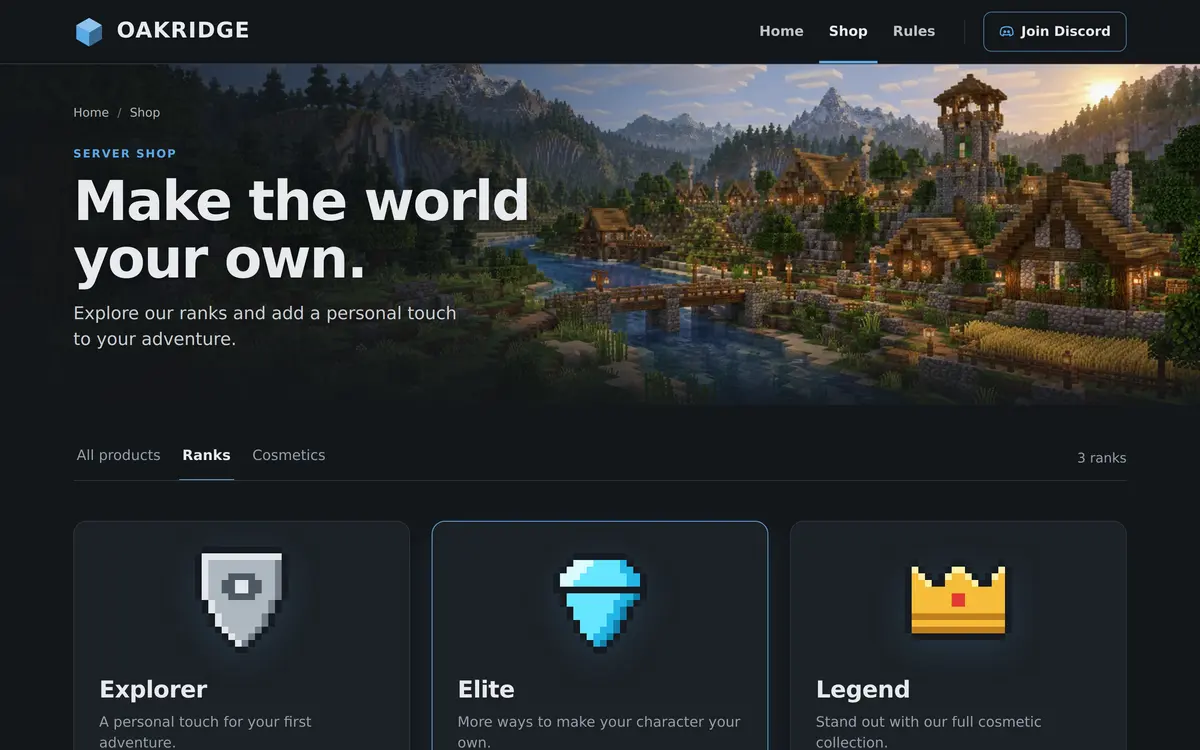
| Rules | Page intro, Rules list, Need help? | Numbered rules and a button to ask the team |
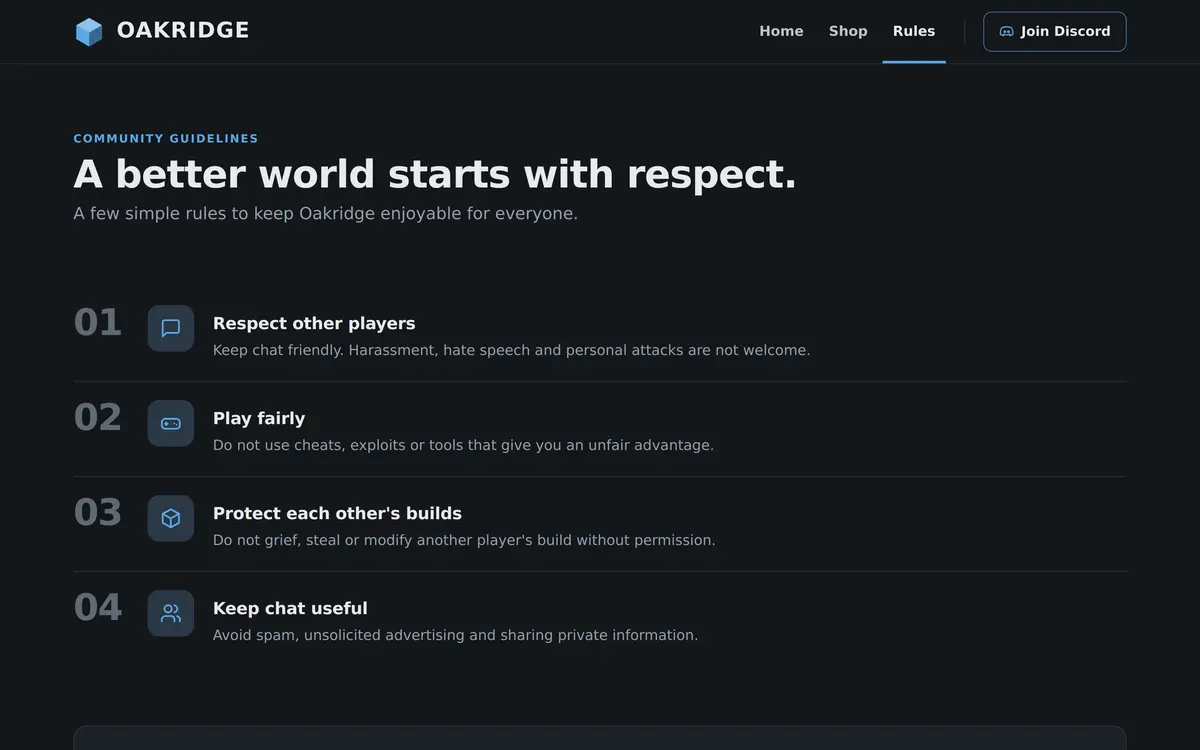
Nothing on these pages is placeholder art. The example text reads like a real server, with ranks called Explorer, Elite and Legend and four rules about respect, fair play, builds and chat, so you can see what belongs where before you replace it with your own.
The three pages, one by one
Home: status first, then ranks and Discord
The hero sits over the village background with a label, a heading, a line of text and two buttons. The first button copies your server address, the second goes to the Shop page. Under the buttons the address itself is shown, so a player on a phone can read it without copying.
Straight under the hero is the Server status bar. It is filled in by your server, not by you: whether it is online, how many players are on, the version and a Join us in-game button. Below that the Rank grid shows three rank cards with a View all ranks link to the shop, and the Community card invites visitors to your Discord.
Shop: every rank in tabs
The Shop page opens with a Page intro and a breadcrumb back to Home. Under it the Categories section puts tabs across the page, All products, Ranks and Cosmetics in the example, with the number of products shown next to each tab. The Rank grid lists the ranks as cards with their perks and a button on each card that links to the store you already use.
The FAQ at the bottom sits next to a help card and opens the first question by default. The example asks what is included with each rank, how a player receives a rank and where to get help, which are the three questions a shop page gets most.
Rules: short, numbered and easy to point to
The Rules page is a Page intro, a numbered Rules list and a Need help? bar with one question and one button. Each rule has a title, a description and an icon, and the list can show as a numbered list or as cards. Because the page has its own address, staff can paste one link in chat instead of typing the rules out again.
What you can change on the free template
All text, every rank, every rule, every question and the buttons are yours to rewrite. You can add ranks with Add rank, rules with Add rule, questions with Add question and tabs with Add tab, and you can move sections up or down on their page.
- Sections: a free site keeps the kinds of section the template starts with, so a second Rank grid or another Page intro fits, but a new kind of section such as a Countdown does not.
- Pages: three pages, the Home, Shop and Rules pages above.
- Themes: Deepslate, the dark theme the template ships with, or Ocean.
- Images: your own logo in the header and the browser tab.
Who the Survival template is for
Survival fits any server where the gameplay itself is the product: vanilla survival, lightly modded survival, an economy server or a server for a group of friends that still wants a proper address to share. It does not assume seasons, game modes or leaderboards, so there is nothing on the pages you would have to explain away.
If your server revolves around one of those, one of the premium designs has the section for it already: Factions has a season countdown, Skyblock an island leaderboard, Network a card per game mode and SMP a whitelist page. The overview of all templates compares them side by side.
How to set up the Survival template
A new site already uses Survival, so setting it up is filling in the three pages from top to bottom.
Open the editor
Go to Website in the server panel of Astroworld Hosting or minecrafthosting.cc and open the editor. The Home page of the Survival template is already there.
Fill in the hero
Click the hero and write your own Heading and Description. Keep Copy server address on the first button and point the second one at the Shop page with Go to a page.
Set up your ranks
Click the Rank grid, rename the example ranks and use Add rank for more. Under Button text, {name} becomes the name of each rank, and the button link goes to your webshop.
Write your rules
Open the Rules page, click the Rules list and replace the four examples. Use Add rule for each extra rule and turn Show numbers on so players can refer to rule 3.
Add your Discord and logo
Put your invite in Discord link in Site settings, so the Community card and the help buttons use it, and upload your logo for the header.
Publish
Press Publish and accept the terms for server websites. Our team checks the site, and once it is approved it goes live on its own address.
Questions about the free Survival template
Is the Survival template really free?
Yes. Survival is the free template of the website builder, and the website itself comes at no extra cost with server plans from 8 GB at Astroworld Hosting and minecrafthosting.cc.
Can I use the Survival template for a server that is not survival?
Yes. The sections are general: a hero, live status, ranks, a shop, rules and a Discord card. Rewrite the text, pick Deepslate or Ocean on the Design tab, and it works for most kinds of server.
Does the status bar update by itself?
Yes. The Server status section reads your own server every time the page is opened, so the address, the player count and the version are always current.
Can I switch from Survival to another template later?
Yes, to any template your site has. In the editor, Templates changes the look of your whole site while your text and images stay, or you can start over with the example pages of the new template.
How many ranks and rules can I add?
A Rank grid holds up to twelve ranks and a Rules list up to forty rules, added with Add rank and Add rule. Keep the home page to three ranks and link to the shop for the rest.
More Minecraft server website templates
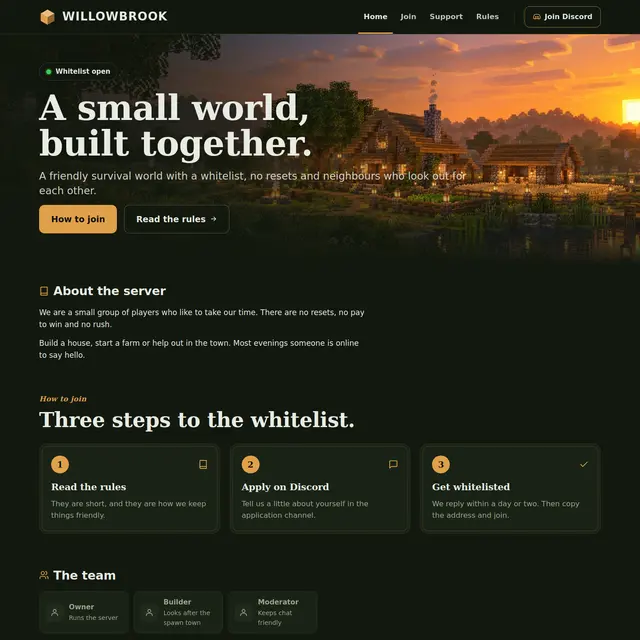 SMP templateA warm Forest theme for a small whitelist server: about, how to join, the team and news.
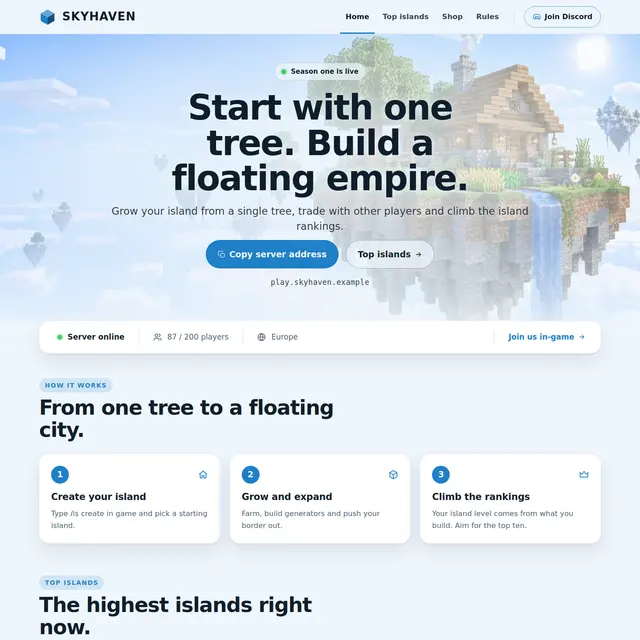 Skyblock templateA light sky theme with an island leaderboard page and how skyblock works in three steps.
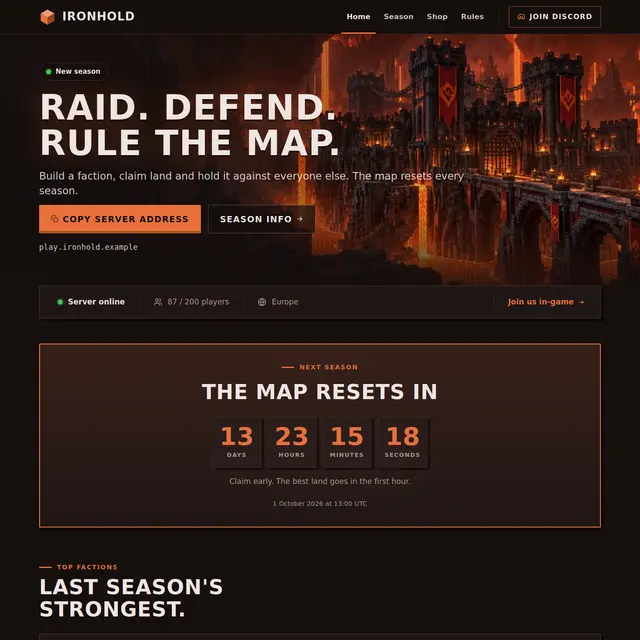 Factions templateA Nether theme with a countdown to the map reset, a power leaderboard and a season page.
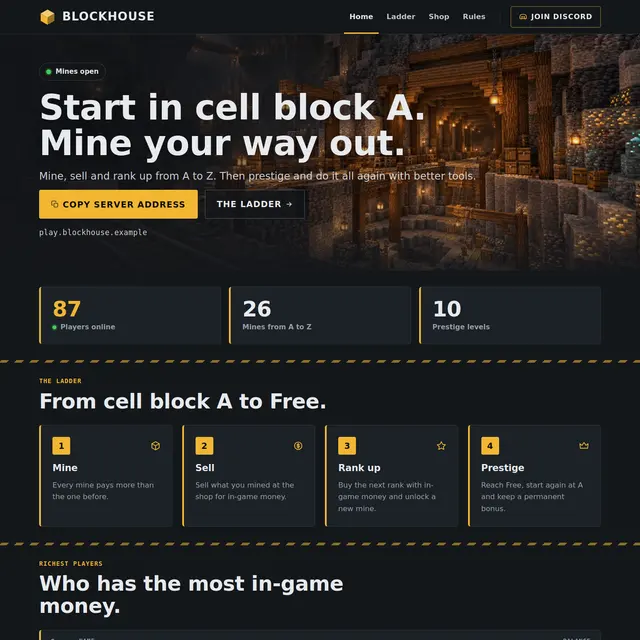 Prison templateA mine shaft theme with the rank ladder from A to Free, prestige and the richest players.